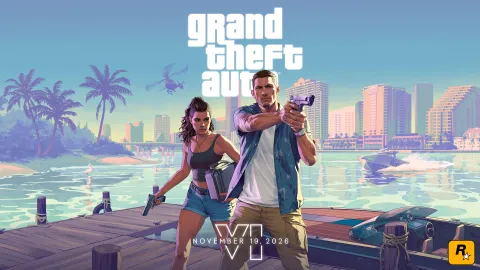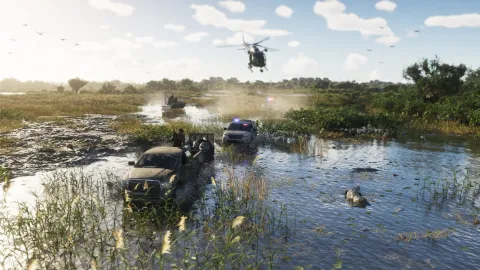

There is a surprisingly useful detail in Rockstar's latest Grand Theft Auto VI announcement for people who never upgraded their Xbox One. The game is being released natively on Xbox Series X and Series S, but Rockstar says it will also be playable through Xbox Cloud Gaming on Xbox One consoles. In plain English, a last-generation Xbox can display GTA VI without running the giant new game on its old hardware. Microsoft's servers do the heavy work and send the video to your screen.
That sounds like a loophole around a costly console upgrade, but there are catches. Rockstar says the cloud version will use Xbox Series S graphics settings, and the experience depends on network conditions. The developer did not promise that every subscriber, every region or every device would have access on day one. Nor did it announce a native Xbox One installation. Those qualifications belong at the centre of the story, not buried at the bottom.

What GTA VI on Xbox One actually means
The Xbox One launched more than a decade before GTA VI. Its CPU, storage and memory were designed for a different generation of open-world games. Rockstar has built the new title for PS5 and Xbox Series X|S, and nothing in the November 10 statement suggests an Xbox One port is being produced. Instead, the Xbox One receives a streamed picture of a game running remotely, along with control inputs sent back to the server.
That distinction explains both the opportunity and the compromise. You would not need to install the full up-to-212 GB local game package on the Xbox One merely to stream it. On the other hand, a cloud session is not a substitute for a local copy when the internet is unreliable. Latency, video compression, server availability and your home network can all affect how responsive a gunfight or a fast car chase feels. The settings may resemble Series S, but a compressed video stream is not identical to a Series S connected by HDMI.
Cloud availability also needs to be distinguished from ownership. Rockstar confirmed support for the service, not a universal rule allowing everyone to press Play without purchasing the game or meeting platform subscription requirements. Those access details are controlled by Xbox and may vary by market. Before paying for a subscription in India specifically to play GTA VI, check the Xbox Cloud Gaming catalogue and local eligibility on the actual account you intend to use.
Can you stream GTA VI to a Windows PC?
This is where several enthusiastic headlines have created confusion. Rockstar's November 10 announcement names Xbox Series X|S and Xbox One consoles for GTA VI through Xbox Cloud Gaming. It does not explicitly announce access through the ordinary PC cloud-gaming browser or Windows Xbox app. That is not a confirmation that the game will never appear there, but it is also not permission to advertise a PC streaming launch as a settled fact.
The developer separately says GTA VI will support Remote Play on PlayStation and Xbox. Remote Play means a game is running on a console that you own and is sending its screen to another supported device. Cloud Gaming runs the game on a remote service. The names are easy to mix up, but the setup, ownership requirement and performance depend on different systems. A PC receiving a Remote Play session is not a PC version of GTA VI.
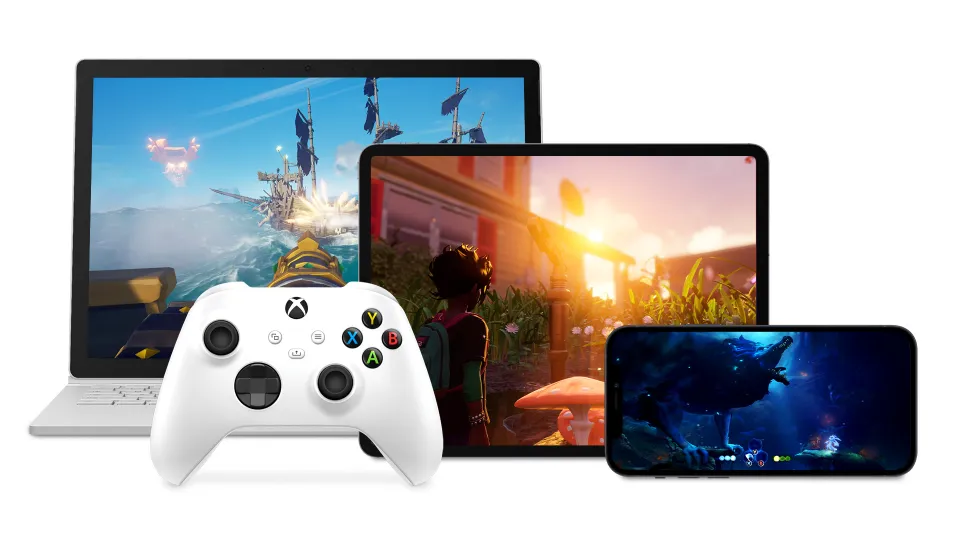
Why Rockstar is using Series S settings for the cloud version
Series S is already one of the native launch platforms, which gives Rockstar a defined console configuration to stream. Its hardware target can be reproduced in a data centre without inventing an entirely separate profile for Xbox One. The game is also targeting 30 FPS across the current-generation console platforms according to Rockstar's performance statement. The streaming announcement does not guarantee a perfect 30 FPS video feed under every network condition, and it certainly does not unlock a hidden 60 FPS mode.
For the person deciding between Xbox One cloud access and a Series S purchase, the fairest comparison is not simply graphics. A native Series S runs the software locally once installed and generally avoids the extra round trip to a remote server. Xbox One via cloud can lower the upfront hardware hurdle but shifts the experience onto the connection. One is a substantial download and local hardware commitment; the other is a continuing reliance on a streaming service.
India, internet speed and input lag
Indian players should check three practical things before planning their first night around cloud streaming. First, confirm that GTA VI appears as a streamable title in the relevant Xbox service for your country and subscription, rather than relying on a screenshot from the US store. Second, test the stability of the actual network and device you will use. A speed-test result is helpful, but consistency and latency matter more for responsive gameplay than an impressive one-off download number. Third, consider whether your connection will be shared with 4K video, large downloads or other high-traffic devices at launch time.
Cloud games use adaptive video compression. A fast-moving city at night, with rain, neon reflections and lots of motion, can be particularly challenging to encode cleanly. If the picture looks soft during driving but sharp when standing still, that may be the stream rather than a problem with the game's native graphics. Similarly, controls can feel late because of round-trip delay, not because Rockstar intentionally made the steering heavy. Hardwired internet and a stable local network are sensible starting points, though they cannot remove latency at the server end.
What has been confirmed, and what remains open
The solid facts are straightforward: GTA VI launches on November 19 for PS5 and Xbox Series X|S; Xbox One users have an Xbox Cloud Gaming route announced by Rockstar; Series S graphics settings will underpin that stream; and Remote Play is supported on both modern console platforms. The announcement does not establish a worldwide subscription price, confirm PC browser cloud access, provide cloud-specific frame-rate measurements or promise identical stream quality to a local console.
There is a real accessibility win in letting people try a major new game on hardware they already have. The important thing is not to mistake that for a surprise Xbox One port. Before buying anything, verify the cloud listing on your own account. Then decide whether convenience and a dependable connection are enough, or whether running the game locally remains worth the hardware upgrade.