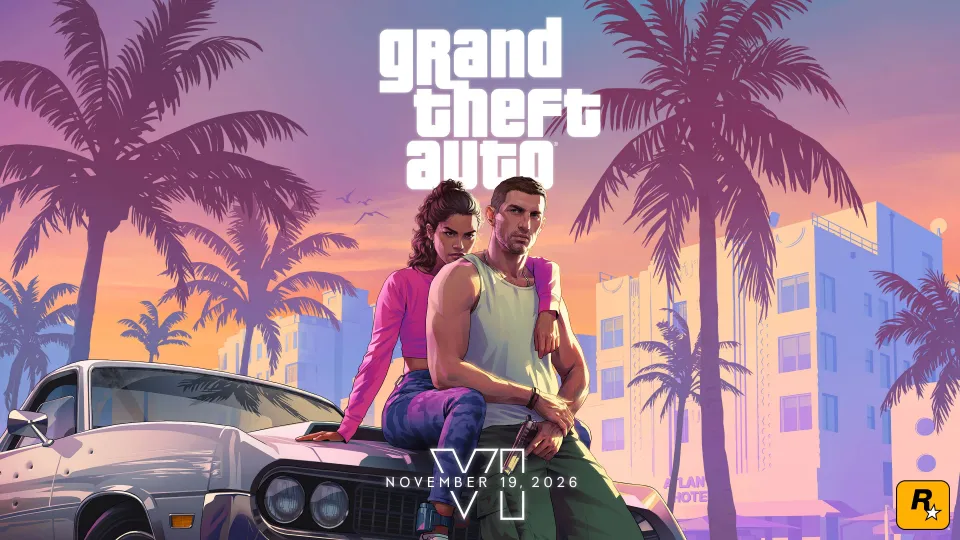
The countdown to Grand Theft Auto VI has moved from trailers to hard-drive management. Rockstar opened digital pre-loading on November 10, nine days before Jason and Lucia arrive in Leonida, and the number worth checking first is not the price or the edition. It is the space on your console. Rockstar's own support page says the pre-load can require up to 212 GB, depending on the device. That is a substantial chunk of even a spacious game library, and it makes preparing the console more important than the usual launch-day ritual of hitting Download.
For players in India, the timing is thankfully straightforward. On PS5, pre-loading began at midnight local time on November 10. Rockstar used a single worldwide start of midnight GMT for Xbox Series X and Series S, which corresponds to 5:30 AM IST. The game itself is scheduled to unlock at midnight local time on Thursday, November 19, across both console families. Downloading it early does not bring the release date forward; it simply removes the enormous download from launch night.
How to pre-load GTA VI on PS5 in India
If you purchased the digital Standard or Ultimate Edition from the PlayStation Store, open Game Library and locate Grand Theft Auto VI under Your Collection or the purchased section. Select the game and the available download option. If you enabled automatic downloads beforehand, check the Downloads/Uploads screen instead of assuming it has already finished. The download may pause when there is insufficient storage or the console's connection drops.
Sony and Rockstar recommend leaving the PS5 powered on or in Rest Mode with internet access and auto-download options enabled. The console cannot download files while it is completely disconnected from power. If an automatic pre-load does not begin, sign into the PlayStation account that owns the pre-order, verify the transaction in your library, restart the console if necessary and check for system software updates. Buying a game on one PSN account does not make its pre-load appear automatically in every other account's library.
Do not treat the advertised 212 GB as an exact installed file size on every machine. Rockstar says up to 212 GB, and storage displays can differ during installation. Some games also need additional working space to apply updates. A sensible approach is to free more than the quoted requirement and avoid leaving only a few gigabytes available after the download. External USB storage can hold PS5 game data but cannot run native PS5 games directly, so anyone relocating the installation needs to understand where the playable copy will live.
Xbox Series X and Series S: same game, different start time
Xbox Series X and S owners who pre-ordered digitally can also begin the download. Rockstar's Xbox timing was 12 AM GMT on November 10, rather than PS5's rolling local-midnight release. Keep automatic updates enabled and leave the Xbox in the appropriate Sleep mode if you want the console to handle downloads while you are away. Check the queue for the actual game file. An early placeholder or small entitlement download is not proof that the complete package is installed.
There is an important distinction between downloading and owning access to the release. A game can sit on the SSD in a fully encrypted pre-load state until the launch unlock arrives. Buying a code-in-box copy is also different from buying a traditional disc. Rockstar says customers with that edition may redeem the enclosed download code when received and start pre-loading, but a sealed box on a shelf does not automatically grant early digital access. The game's code-only packaging is particularly worth noting if you were planning to lend or resell a physical disc.
What Rockstar has actually confirmed about GTA VI performance
The November 10 announcement brought another answer console owners have wanted for months. Rockstar says GTA VI is targeting 30 frames per second on current-generation consoles. That wording is a performance target, not independent proof that every hectic intersection and car chase will hold a perfect 30 FPS. We need finished-game testing to judge frame pacing, resolution and dips in the busiest sections of Leonida.
PlayStation 5 Pro will use PlayStation Spectral Super Resolution, better known as PSSR, and gains ray-traced shadows that Rockstar specifically describes as a Pro feature. The developer has not announced a 60 FPS mode for the premium console. A sharper or better-lit frame is not the same thing as a higher frame rate. For a buyer upgrading purely to chase 60 FPS, this detail matters more than almost anything in the marketing campaign.
On regular PS5, Rockstar highlights DualSense haptic feedback, Tempest 3D audio and improvements to loading. Those features may make the game more immersive, but they are not exclusive new missions or extra story content. Rockstar has not provided an independent graphics-comparison benchmark here, so any claims about exact native resolutions should be treated cautiously.
How much free space should you clear?
Start by opening Settings, Storage on PS5 or the storage management area on Xbox. Look at how much of the internal drive is genuinely free, not its advertised total capacity. Delete a game you can easily reinstall, transfer screenshots you want to keep and review large unused capture files. On a PS5, moving an older native game to USB storage can be more convenient than deleting it, provided you remember that PS5 titles must return to compatible internal or M.2 SSD storage before they can be played.
If you are adding an M.2 drive to a PS5, check Sony's current compatibility requirements rather than buying any NVMe drive based on capacity alone. A heatsink and the correct interface matter. If you are not comfortable opening the console, clearing space first is the safer path a week before launch. Also remember that launch-day patches, saved clips and other games will compete for the same free space after November 19.
The real advantage of pre-loading is time. A 212 GB download is more than many households would want to attempt at midnight on a busy connection. With the files already on your console and the right account signed in, you can spend release night finding out what happens in Vice City rather than watching a progress bar.
GTA VI pre-load questions, answered
Can you play GTA VI after pre-loading on November 10? No. Rockstar lists November 19 as the release date, with a local-midnight unlock for the supported consoles. Pre-loading is preparation, not early access.
Will GTA VI take exactly 212 GB? Not necessarily. Rockstar's wording is up to 212 GB depending on the device. The final amount on your console may differ, and updates can add to the requirement.
Does it launch on PS4 or Xbox One as a native install? No. The announced native launch platforms are PS5 and Xbox Series X|S. Rockstar separately confirmed a cloud-streaming option for Xbox One, which is not the same as a native Xbox One version.
Has a PC release date been announced? No official PC launch date appears in Rockstar's November 10 platform announcement. Do not confuse the console pre-load with a PC download.